
0.6.44
Live Photo Sharing and Competitions for Groups
- Ensure you have a big screen or just a laptop
- Create an event (see below)
- Send the event link to invite people
- Everyone uploads photos with their phone
- Live updates on the big screen
- Score points on the leaderboard
- Have fun!
Beta Test
Request a Beta Key:
No Beta Key
- Max 12 users
- Max 50 photos
- Deleted after 7 days
- All features
- No Beta Key required
- Great for trying out
30 Users
- Max 30 users
- Unlimited storage*
- All features
- Beta Key required
100 Users
- Max 100 users
- Unlimited storage*
- All features
- Beta Key required
*While stocks last
Development Blog
Origin
A few years ago, I came up with the idea of creating an app for our annual family reunion. It was meant to make it easy for everyone to share photos with each other. We always took lots of photos, but they were usually posted in WhatsApp and then got lost in the chat.
At the venue there was a TV mounted on the wall, and I thought it would be cool to have an interactive photo album on the screen. That way, people could use their phones to send photos directly to the TV. I searched for an existing product, but couldn’t find anything suitable, so I decided to build it myself.
These reunions also involve a lot of games: scavenger hunts, sports competitions, pub quizzes, and more. We’re a competitive bunch, so everyone plays with great enthusiasm. For that reason, it made perfect sense to add a live scoreboard.
People loved the app so much that I decided to professionalize it further and release it to the public. The first step is this Beta Test. My hope is that others will also have a lot of fun with the app, and that it brings a bit of extra joy and togetherness.
Features
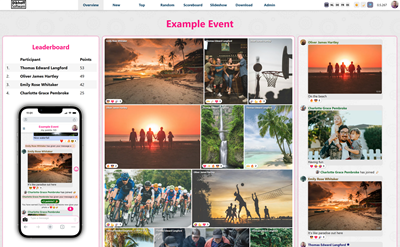
Dashboard and Live Data
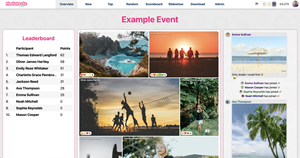
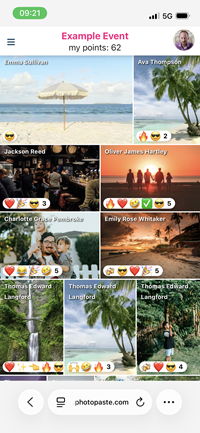
The dashboard has overviews for photos, scores, chat, and more. Photos are displayed in galleries that you can order in different ways.
Almost all data is live. Photos, messages, scores are instantly updated on the dashboard and all devices.
The slide show provides a relaxing view of all the photos that were uploaded so far.
Mobile App
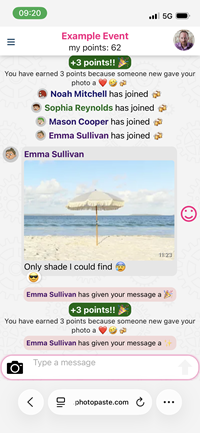
The mobile app is where you share photos and communicate with each other.
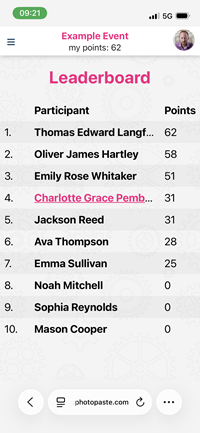
You can earn points by posting photos and using the app.
You can view your standing in the leaderboard as well as browse photos other people have posted. In your profile you can choose a different profile picture or change your name. You can also see your score history, and that of others.
Admin Area
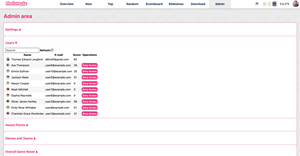
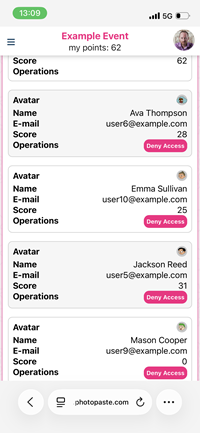
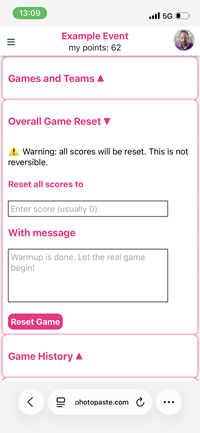
If you are the creator of the event, you have access to the admin area. The admin area is where you configure the event and make changes to scores and users.
Here you can manage who has access to the event, award points to individuals, reset the game, and more.
All admin functions are also available in the mobile app.
Logging in
The login flow is as low-threshold as possible.
Events have a "secret link" that you can share with people you want to join.
After following this link, you land directly in the mobile app. You don't need to install anything.
You immediately see the names and photos of people who are already there. This encourages you to join in.
The moment you try to respond or participate, the login screen appears. You can log in or sign up with Google or e-mail.
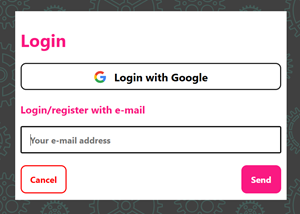
Photo Storage
Photos are stored in their original state. There is no compression.
To conserve bandwidth, the UI displays smaller versions of the originals (webp).
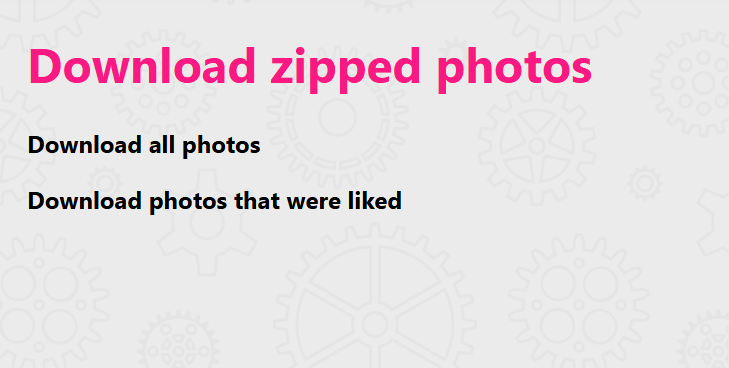
You can download the original photos as zip file, from the dashboard.
Traditional Games
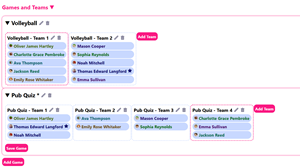
In the admin area, you can define games and teams.
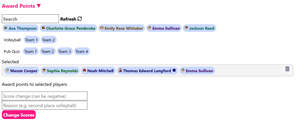
When a game is finished, you can award points to individual players or teams. The leaderboard is automatically updated and players are notified on their phones.
No Beta Key
- Max 12 users
- Max 50 photos
- Deleted after 7 days
- All features
- No Beta Key required
- Great for trying out
30 Users
- Max 30 users
- Unlimited storage*
- All features
- Beta Key required
100 Users
- Max 100 users
- Unlimited storage*
- All features
- Beta Key required
*While stocks last